Sign up
Signing up creates your Timelish login and the workspace where your booking site and dashboard live. After signup you confirm your email, pick a plan if prompted, pay when required, then walk through Set up your workspace.
Before you start
- Use an email inbox you check often - you need it for email confirmation and password recovery.
- The person who signs up is usually the one who manages billing for that workspace.
Create your account
Open the Sign up page from the Timelish website (or the link you were given). Fill in what the form asks - usually email, password, and any agreement checkboxes - then submit.
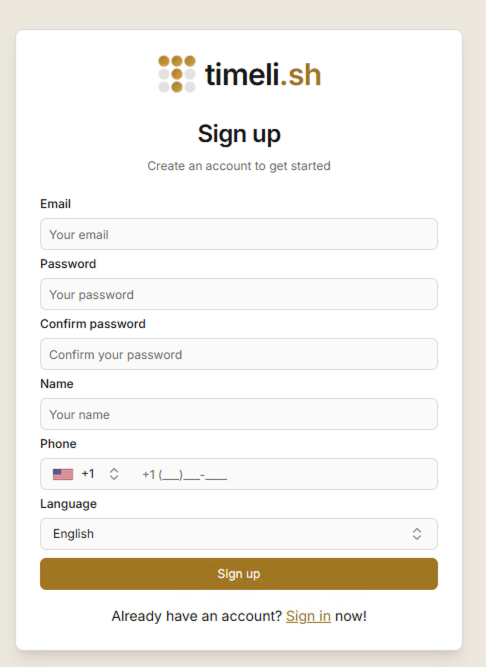
You may need to confirm your email before you can move on to choosing a plan or finishing setup.
What happens next
- Confirm your email - click the link in the message.
- Choose a plan - Compare options and pay safely.
- Set up your workspace - next you complete Set up your workspace: your business details, look and feel, services, optional calendar and meeting tools, and how you get paid.